Post
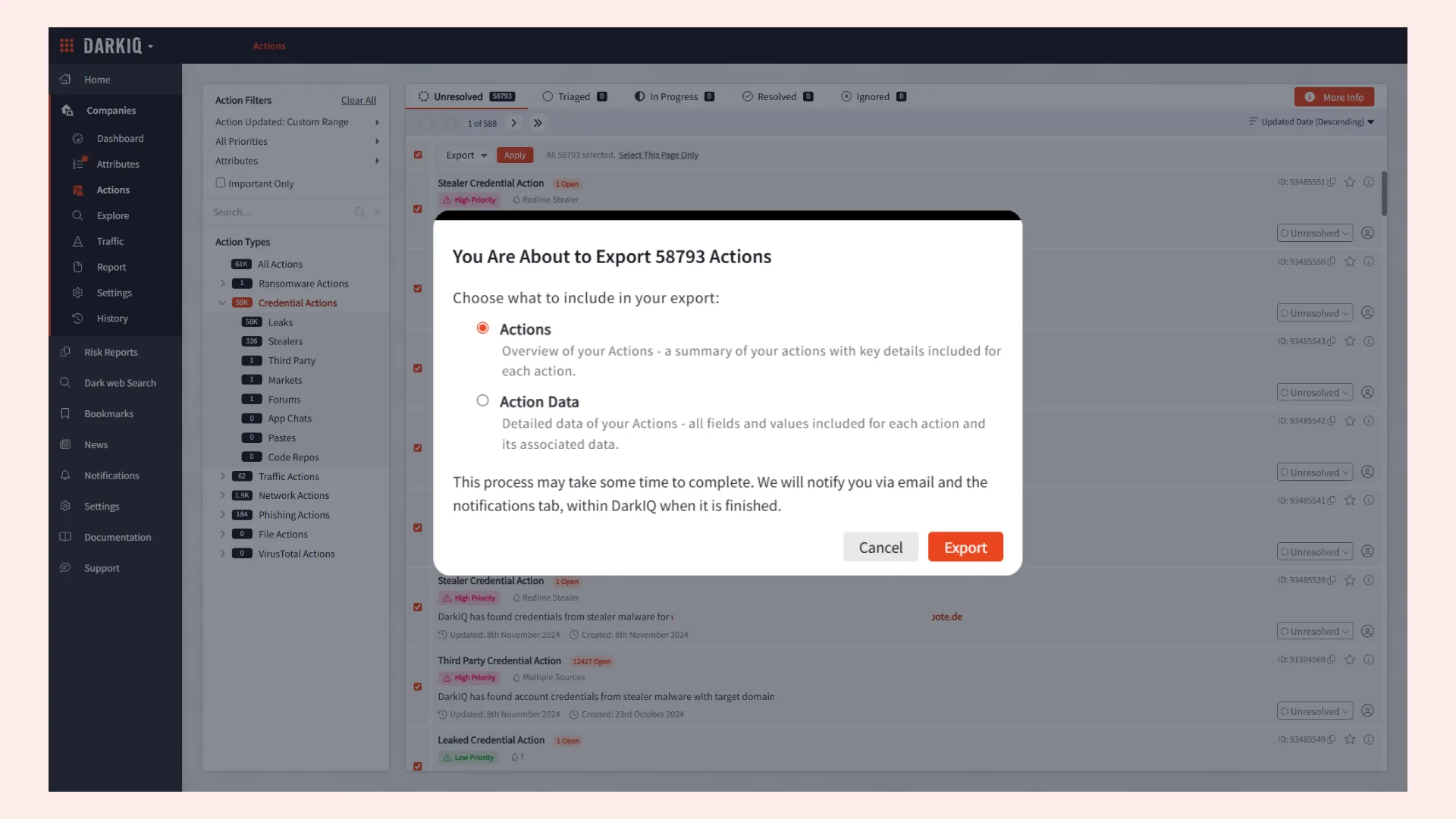
DarkIQ has always allowed security teams to preemptively identify when staff, third-party, and customer credentials have been exposed through breaches or malware-infected devices. As organizations monitor increasingly large extended attack surfaces, security teams need a faster way to prioritize these alerts and filter out irrelevant noise.
In this update, we’ve added granular credential action filtering and improved your export options to streamline your analyst workflows.
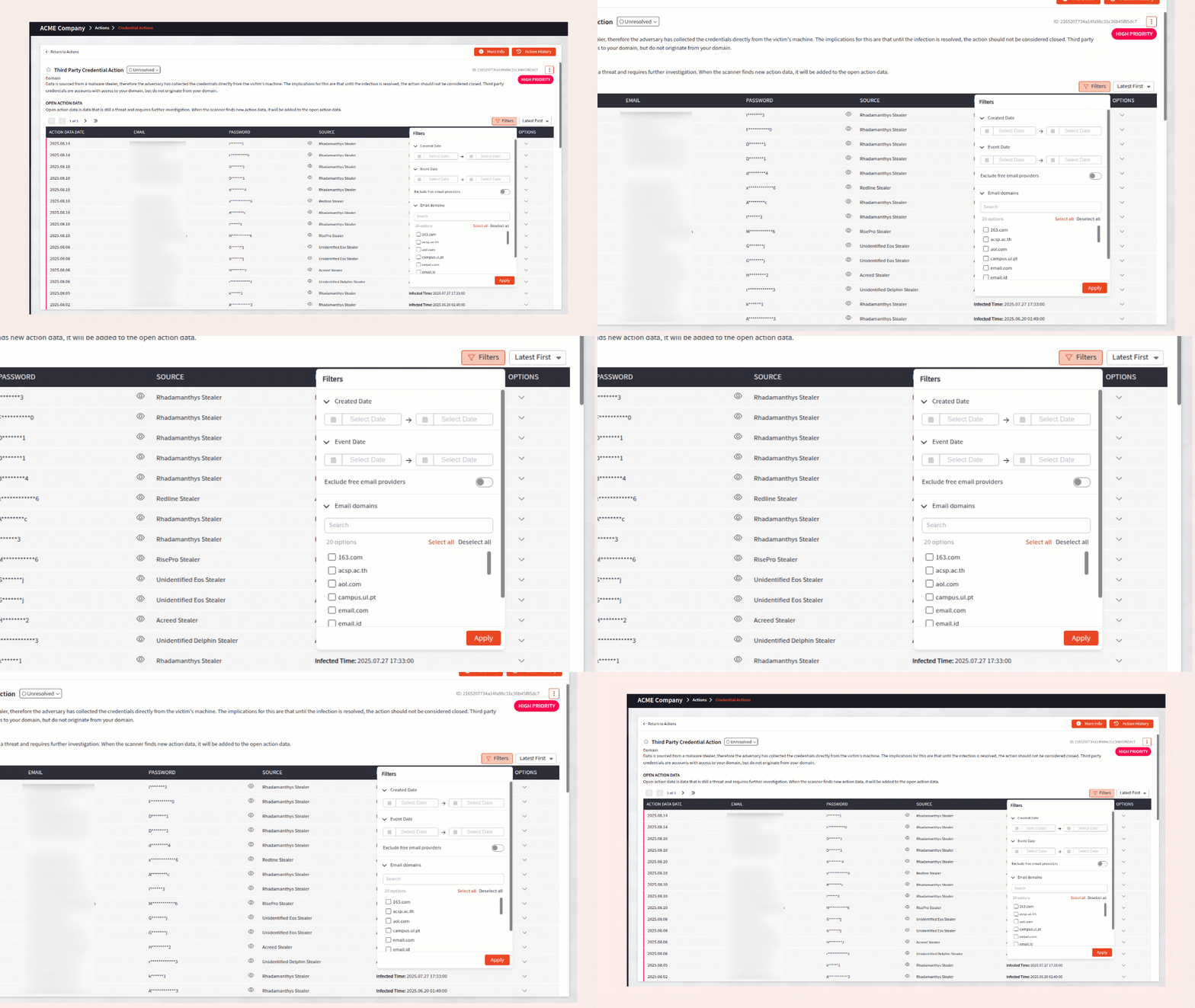
We’ve added new filters to make it easier to zero in on your most pressing actions. These filters apply to all Credential Actions, including Leaks, Stealers, and Third-Party exposures, and are applied at the action data level.
In addition to the recent API enhancements we’ve made to DarkIQ, we’ve also improved the export functionality to support integration of data into your wider security stack. You now have the option to export a high-level summary of your Actions or the full Action Data, with all fields, values, and associated data. Exports will process in the background, allowing you to continue using the platform. You’ll receive an email when your download is available in the Notification Center.